Open source · Apache-2.0Free locally · One-command sharing · Reviews flow back to your agent

Demo it, decide it, then build it

Write clickable, playable prototypes in TS/TSX and compare options on a local board. Share or embed them with one command, let your team vote and decide in a review link, and have your agent update the source with joplo feedback.

Terminal

$ npx joplo@latest init my-demo$ npx joplo dev --open$ npx joplo share --review✓ Review build published → https://joplo.app/s/…$ npx joplo feedback2 decisions to apply → hand off to your agent
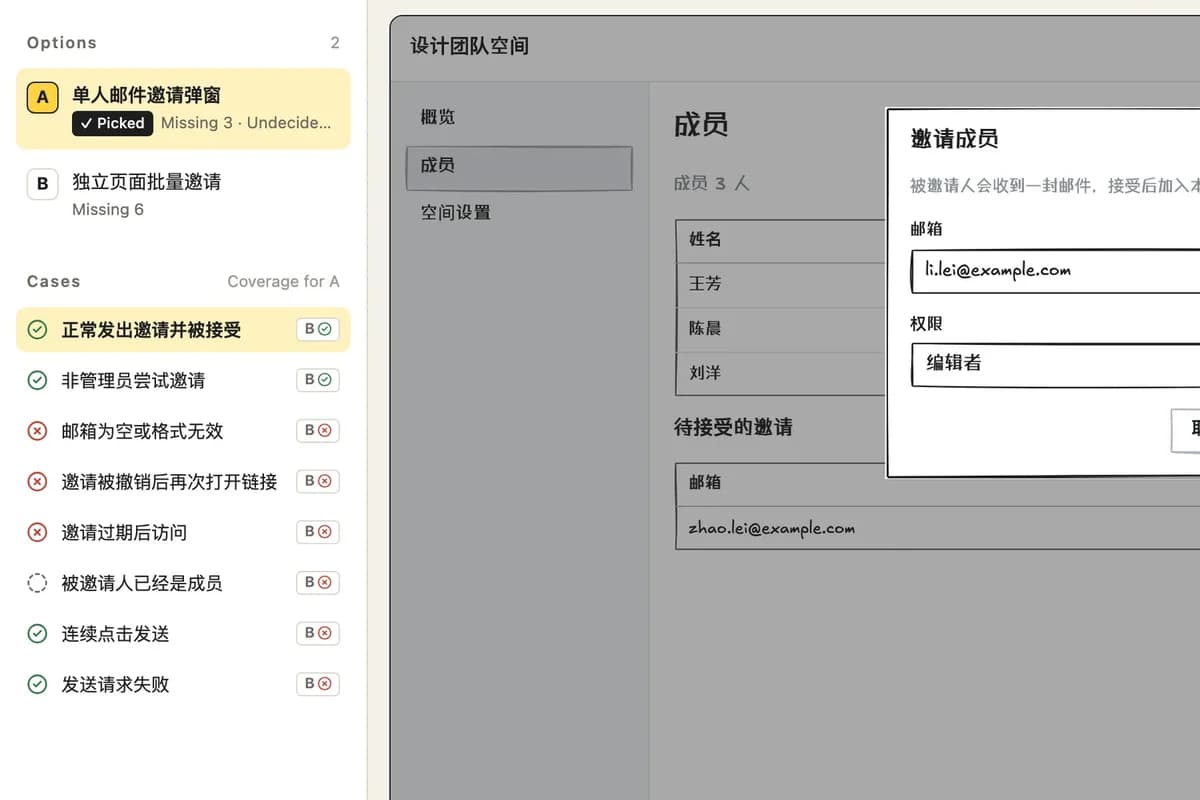
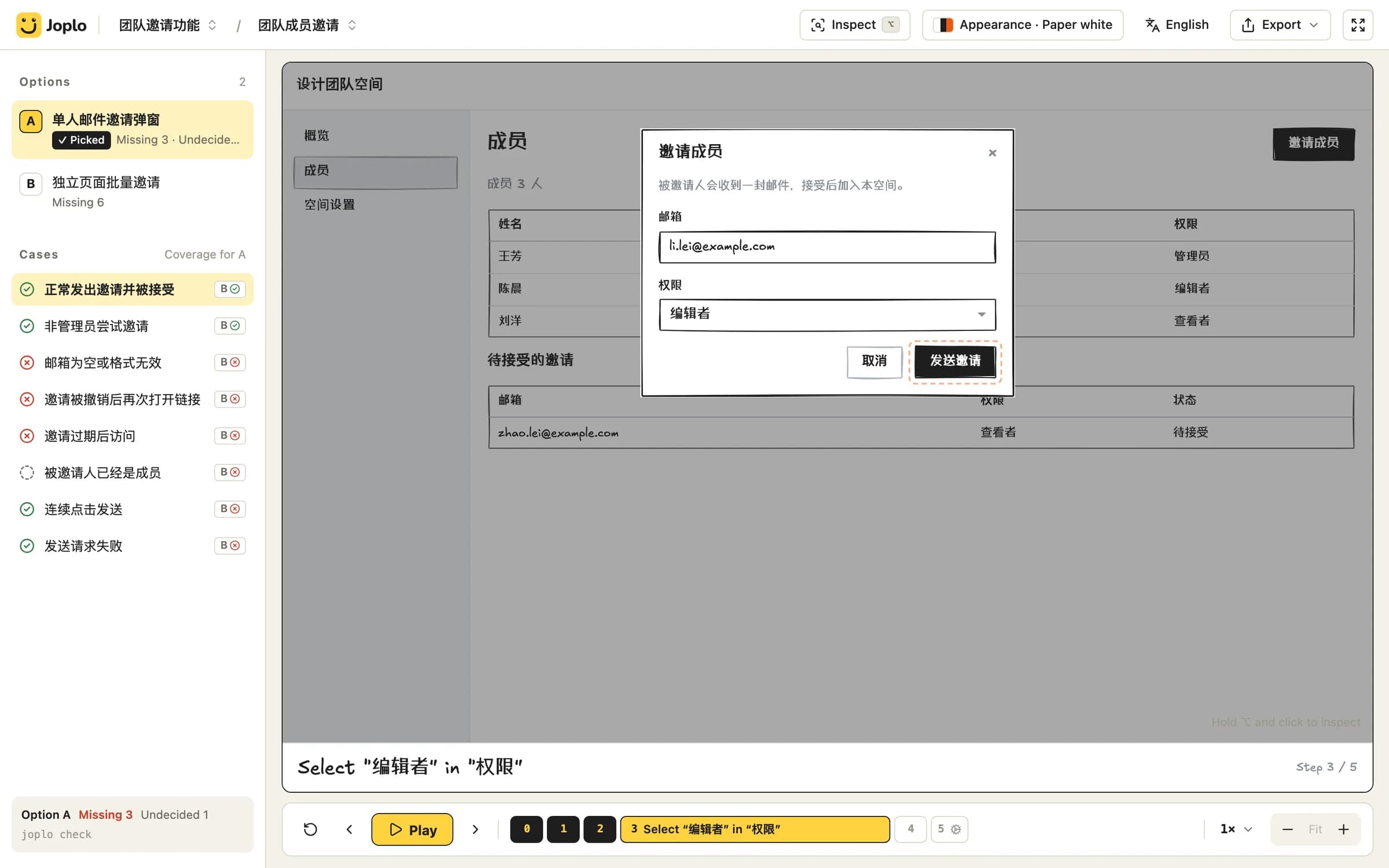
The Joplo board playing a demo: options A and B on the left, the prototype on the stage, and the step timeline below.

How it works

From source to decision, and back to source

Source files are the source of truth and Git keeps the history. Review feedback doesn't get lost in chat: your agent writes the decisions back into the same TSX and you publish again.

  1. 01

    Write TS/TSX

    Pages, options, cases and flows live in source files, right next to your code.

    options/a.tsx
  2. 02

    Compare and play on the board

    Switch between options A and B, see which cases each one covers, and play the demo step by step.

    npx joplo dev --open
  3. 03

    Share, or publish a review build

    A regular link shows only the picked option. A review build includes every option, and its rules and questions are visible to reviewers only.

    npx joplo share --review
  4. 04

    Review, vote, decide

    Reviewers comment next to the demo, point at elements and vote. You pick an option, confirm or reject rules and answer questions.

    cloud.joplo.app/review/…
  5. 05

    Your agent applies the decisions

    The agent pulls the decisions and comments that haven't been applied, edits the source, runs check and marks them as applied.

    npx joplo feedback

Back to step 2: once the changes are in, run npx joplo share --review again. On Pro the same review link is updated and its comments and votes are kept.

Features

From the first prototype to the agent's final edit

01

Write the demo

Pages, options, cases and flows are TS/TSX in Git. You and your agent edit the same source files.

  • Components, transition cards, multiple roles and streaming agent output
  • joplo check prints one line per problem, easy for agents to read
features/invite/options/a-modal.tsx
export default option({  name: 'A · Invite one person by email',  tradeoffs: ['Shortest path', 'One invite at a time'],});flow('Admin sends an invite')  .click('btn_invite', 'Open the invite dialog')  .type('in_email', '[email protected]')  .select('sel_role', 'Editor', uses('role_cap'))  .click('btn_send', 'Send the invite');
02

Compare options

Write options A and B for the same feature. The board lists each option's coverage by case, so gaps and open questions are obvious.

  • Play step by step; captions, camera and layers follow the flow
  • ⌥-click any element to hand its file and line to your agent
The Joplo board: options A and B with their case coverage on the left, the prototype on the right.

03

Share and embed

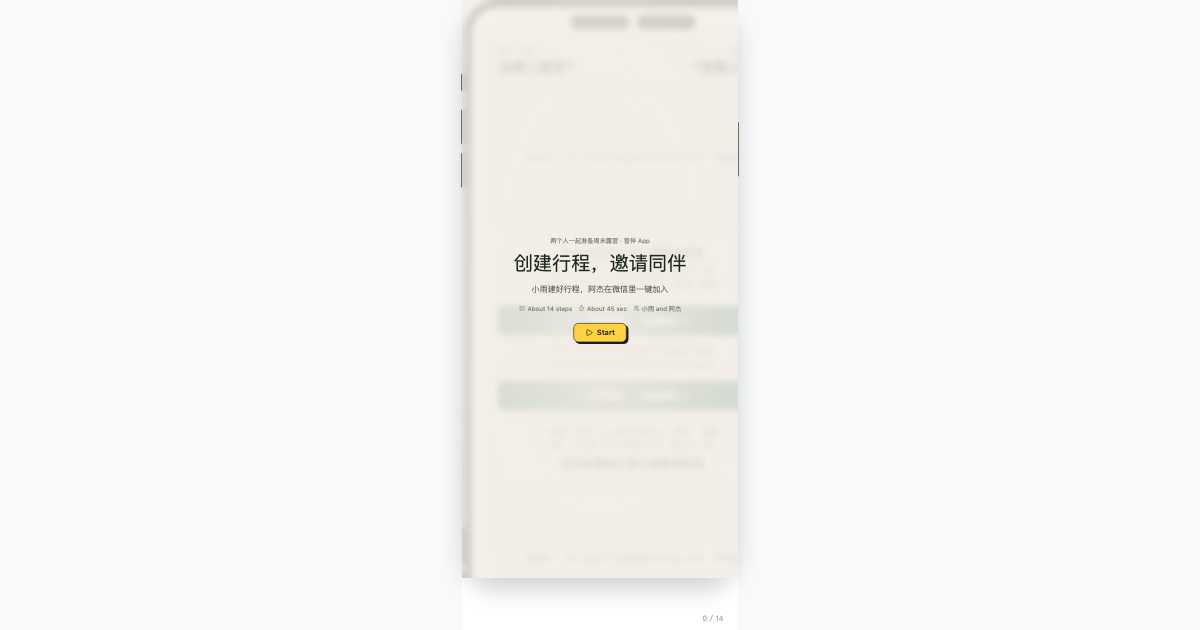
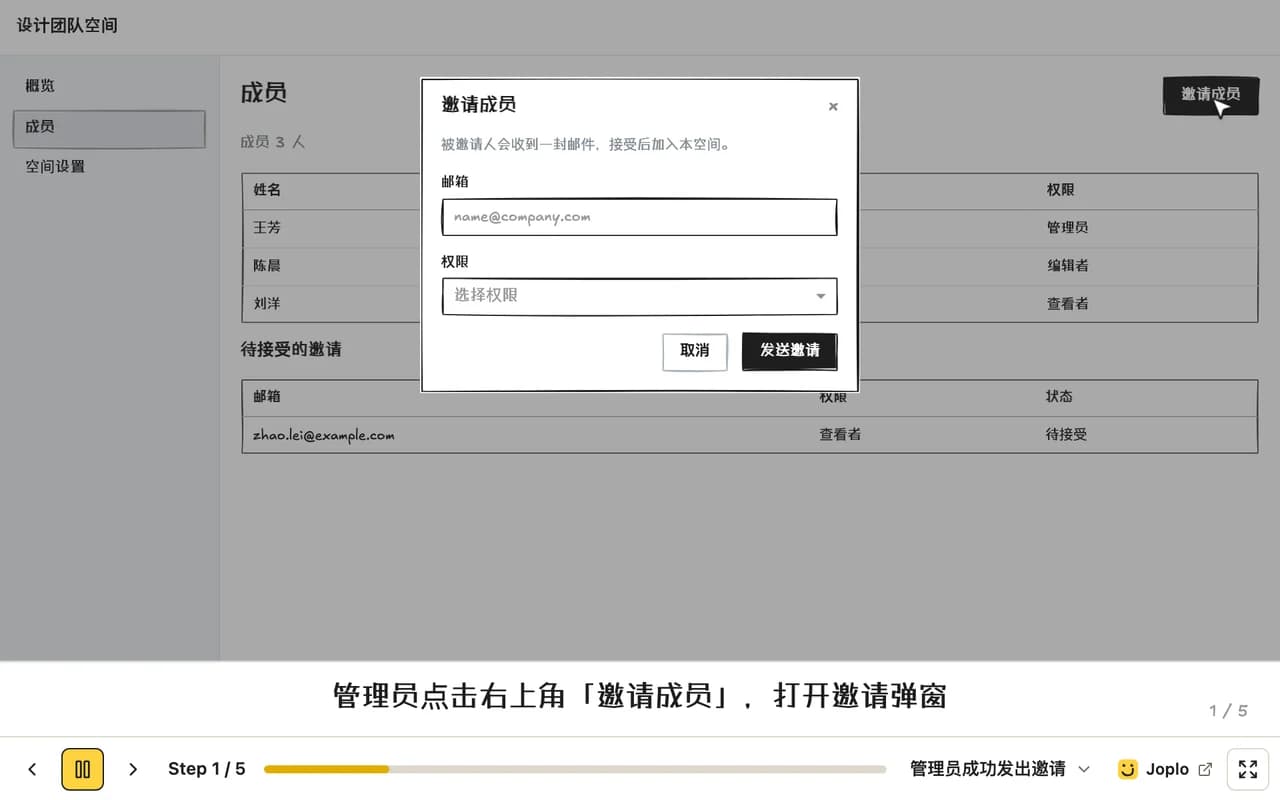
npx joplo share publishes a joplo.app/s/… link. Embed it in a blog, docs or a README: visitors see a cover first, then play it or go full screen.

  • Web iframe, GitHub badge and link cards, on every account
  • Free links last 1 hour; Pro links never expire
An embedded Joplo demo playing, with captions and a compact control bar for stepping and full screen.

04

Review, then hand it back to your agent

Send a review link. Teammates comment next to the demo, point at elements and vote. Once you decide, your agent gets the decisions with npx joplo feedback and updates the source.

  • Rules and open questions only appear behind the review link
  • Signing in is required to comment and vote; only the author decides
~/my-demo — zsh
$ npx joplo feedbackShare k3f9x2Qa1B · version 3Decisions not yet applied (2):  [d_8f2k] Pick option invite.a-modal for feature invite  [d_3m9q] Reject rule resend_cap: Only block resends within 1 minuteUnresolved comments (1):  [c_7xw1] scenario invite.a-modal.success · step 2 — Chen      Rename the button to “Invite teammates”?Next: update the source as decided, run npx joplo check,then npx joplo feedback --applied d_8f2k,d_3m9q

05Coming soon

CI and PR previews

Publish from CI with an API key instead of a device login. Once the Joplo GitHub App opens, every PR gets a preview comment, and the link expires when the PR closes.

  • API keys work today: scoped permissions, 90 days by default
  • PR previews: 1 hour on Free, until the PR closes on Pro
.github/workflows/joplo-preview.yml
on: pull_requestjobs:  preview:    runs-on: ubuntu-latest    steps:      - uses: actions/checkout@v4      - run: npx joplo share --new --pr ${{ github.event.number }}        env:          JOPLO_API_KEY: ${{ secrets.JOPLO_API_KEY }}

Pricing

Free locally, collaboration for everyone

Authoring, checking and building with the CLI cost nothing, and embeds, reviews and API keys come with every account. Pro buys permanent links and higher limits.

Free

$0

Show a teammate, or run a round of review.

  • The full local CLI, open source and free
  • Publish after signing in; links last 1 hour
  • Embeds: web iframe, GitHub badge, link cards
  • Review links, comments, votes and joplo feedback
  • API keys for CI and scripts
  • PR previews that last 1 hour (coming soon)
  • Share pages show a free-plan notice and the Joplo bar
Sign up free

Pro

Recommended

$48/ year

When links need to keep working.

  • Share links never expire
  • No free-plan notice or brand bar
  • Publishing again updates the same link and keeps review comments
  • Upgrade within 7 days of expiry and the original link comes back
  • Higher upload and publishing limits
  • PR previews that last until the PR closes (coming soon)
  • Private links, version history and cloud export (coming soon)
Upgrade to Pro

Lifetime

$99one-time

Pay once and keep the Pro benefits.

  • Everything in Pro
  • No renewals
Buy Lifetime

Prices in USD. Payments are processed by Waffo Pancake as merchant of record.

FAQ

Frequently asked questions

Straight answers about pricing, sharing, embeds, reviews and agents.

Demo your next feature first

Write it, play it and compare it locally. Build the real thing once it is clear.

Terminal

$ npx joplo@latest init my-demo